Campaign link generator
Published
A campaign link generator turns an ordinary web address into a trackable marketing link by adding UTM parameters. The destination remains the page you want people to visit, while the extra information tells an analytics system which campaign, channel, and placement brought the visit. If you send the same landing page through a newsletter, a social post, and a partner website, separate tagged links make those sources easier to distinguish.
You can make these links by hand, but a campaign link generator helps you apply consistent names and avoid errors in URL formatting. The useful part is not generating a longer URL. It is building a measurement system in which results from different campaigns can actually be compared.
What a campaign link does behind the scenes
Consider a small business announcing a new collection. The business has one landing page, https://example.com/new-collection, and plans to promote it in several places. Without campaign tags, its analytics reports may identify some incoming visits through referrer information, but that information can be incomplete or too broad to tell one promotion from another.
A tagged link can look like this:
https://example.com/new-collection?utm_source=newsletter&utm_medium=email&utm_campaign=autumn_launchThe question mark begins the URL's query string. Each name=value pair describes part of the campaign, and an ampersand separates the pairs. These tags do not themselves count purchases, identify a customer, or create an analytics account. They supply campaign labels that a properly configured analytics system can read when someone lands on the website.
This matters because traffic is not the same thing as performance. A post that brings 400 visits and an email that brings 100 visits should not be judged only by those totals. If the website also measures signups or purchases, you can compare what visitors from each source actually do. A campaign URL provides the source labels; your analytics and conversion setup supply the behavioral information.
The five familiar UTM parameters, explained
Source identifies where the visitor found the link
utm_source names the publisher, platform, or identifiable sender. Common values include instagram, linkedin, partner_blog, and newsletter. A source should answer where the link appeared, not what the promotion was about.
Medium describes the type of distribution
utm_medium identifies the marketing method, such as email, cpc, paid_social, or referral. The distinction matters because analytics reports often organize traffic into channels using source and medium values. Inventing a different medium for every post makes comparison harder and can interfere with automatic channel grouping.
Campaign groups the effort you want to evaluate
utm_campaign labels a particular initiative. For example, autumn_launch could appear on the email, social, and partner links promoting the same collection. Sharing a campaign name across channels is useful when those placements genuinely belong to one marketing effort; the different source and medium values still distinguish where visitors came from.
Content separates creative variations
utm_content is useful when two links otherwise have the same source, medium, and campaign. An email might contain both a prominent button and a text link pointing to the same landing page. Values such as header_button and footer_text help keep those placements separate in reports that expose manual ad content.
Term can record a targeting keyword
utm_term traditionally identifies a paid-search keyword. It is optional for most ordinary newsletter and social links. Do not fill it with a random campaign description merely to use every field. In GA4, the traditional five fields are widely supported, although Google also documents additional campaign parameters including utm_id and utm_source_platform for particular reporting needs.
For reliable manual tagging, Google recommends setting source, medium, and campaign together. A URL with only one of those fields is not automatically meaningless, but leaving important values blank can produce incomplete dimensions marked (not set). That is a better reason to use a consistent format than treating a builder's required fields as an arbitrary formality. The official explanation is available in Google Analytics documentation on campaign URLs.
One launch, three channels, three meaningful links
Imagine a shop promoting its autumn collection with an email, an unpaid Instagram post, and a paid social ad. All three placements lead to the same page. For a campaign-level comparison, keep the destination and campaign name consistent while changing the source and medium to reflect each placement.
Email newsletter
https://example.com/new-collection?utm_source=newsletter&utm_medium=email&utm_campaign=autumn_launch&utm_content=hero_buttonThis link identifies email traffic from the newsletter and distinguishes the main button from other links in the message. If you also include a smaller text link, give that placement a different utm_content value while retaining the other tags.
Organic Instagram post
https://example.com/new-collection?utm_source=instagram&utm_medium=social&utm_campaign=autumn_launchHere the source is Instagram and the medium describes unpaid social distribution. Using the same campaign label means the visits can be considered alongside other placements promoting the collection.
Paid Instagram promotion
https://example.com/new-collection?utm_source=instagram&utm_medium=paid_social&utm_campaign=autumn_launch&utm_content=product_videoThe paid placement receives a different medium from the organic post. That distinction prevents paid and unpaid efforts from being mixed together under one manually assigned channel label. Exact default-channel classification still depends on GA4's current channel-grouping definitions and how your property is configured.
These URLs are illustrative examples, not measured campaign results. Before publishing any tagged link, verify that it opens the intended landing page and that your analytics implementation is actually collecting campaign information.
How to create campaign links without formatting mistakes
Building a good link is a short process once you know what each value means. The harder task is choosing labels that will still make sense after several months of campaigns.
- Choose the final landing page. Use its complete HTTPS address. Confirm that the page works, including on mobile, before adding tracking labels.
- Decide the campaign name. Choose a short, descriptive identifier such as
autumn_launchand reuse it for placements that belong to that same effort. - Identify the source and medium. Use the actual publisher and distribution method, not a generic label such as
marketing. - Add content or term only when useful. Use content for separate buttons or creatives; use term for keyword-level distinctions where relevant.
- Generate and inspect the URL. Check spelling, lowercase conventions, the destination, and whether any existing query parameters remain intact.
- Click the finished link. Verify that redirects do not remove the tracking values and that the destination page records visits in your analytics setup.
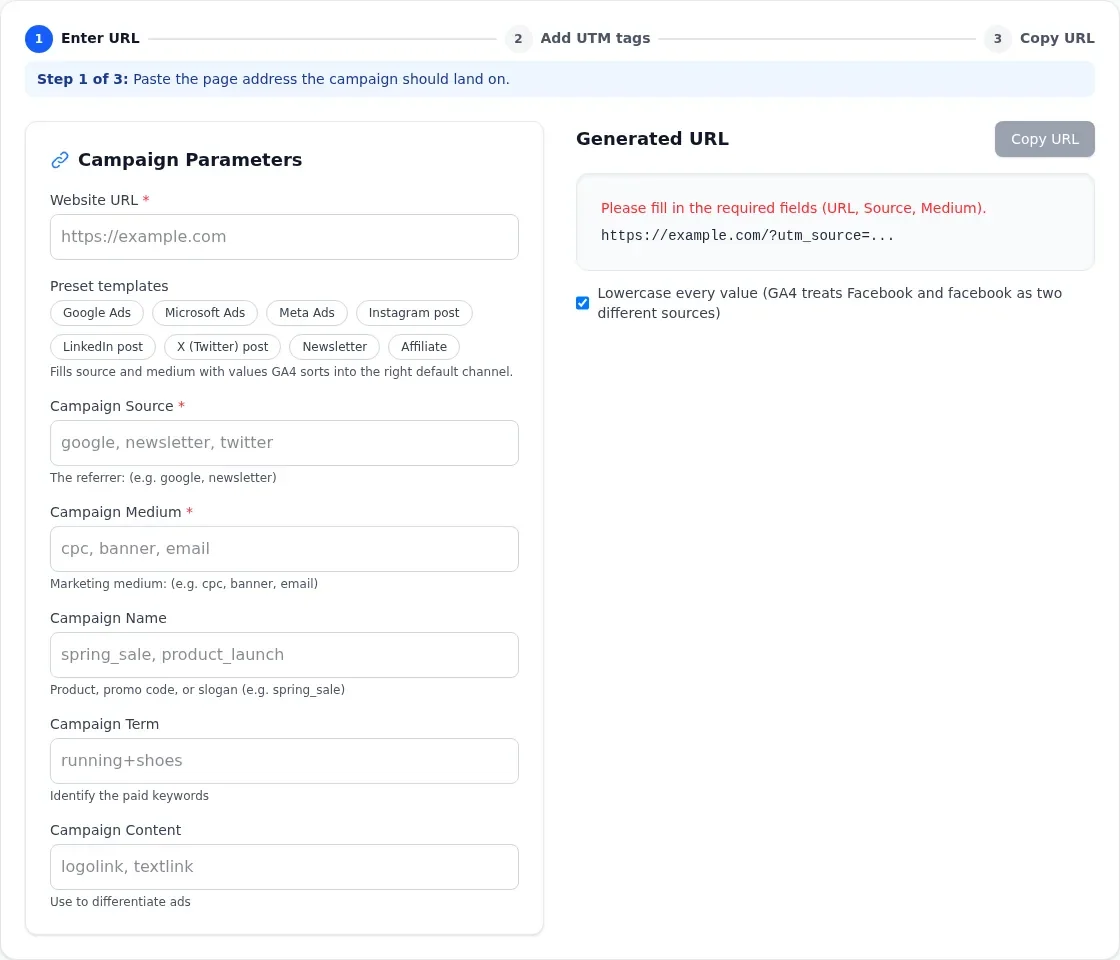
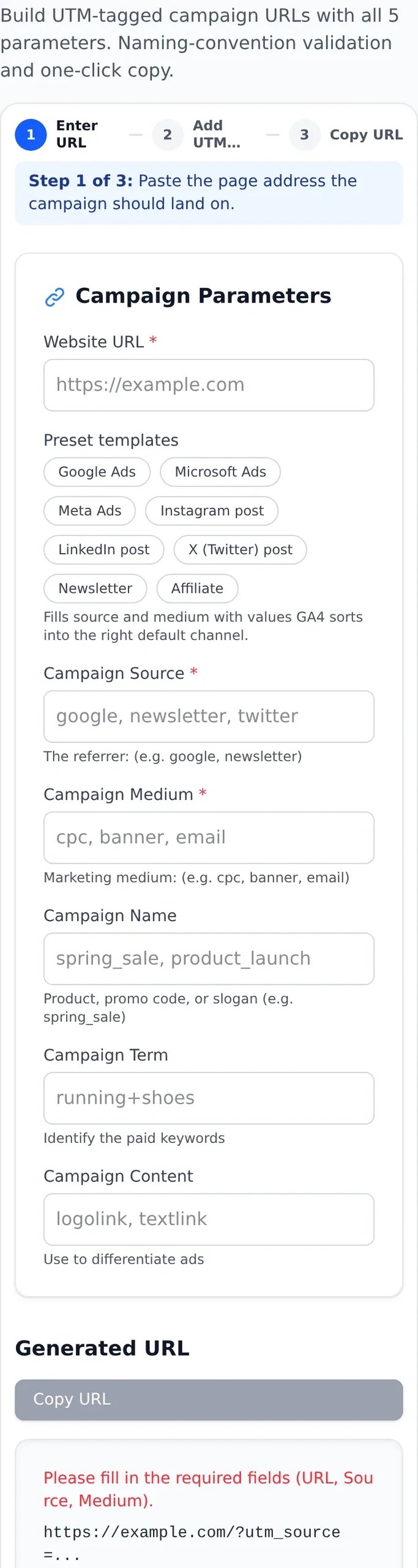
UtilHub's UTM Builder supports the classic five UTM parameters, shows the generated address while you fill in the fields, and offers templates for common distribution channels. It also has a lowercase option and lets you copy the resulting link. Those conveniences reduce repetitive typing, but they do not replace the need for a naming plan or a real end-to-end check.
If your original destination already contains a question mark and query values, extra parameters need to be joined correctly rather than starting a second query string. Special characters in parameter values also need URL encoding. A proper URL generator handles the syntax, but you should still test a link before spending money to promote it.
Consistent naming matters more than fancy tracking
Most campaign reports become confusing gradually. One person writes Instagram, another writes instagram, and a third shortens it to ig. Analytics tools can treat these as separate source values even when the team intended them to mean the same platform. A reporting dashboard then shows fragmented rows instead of one clear picture.
A simple convention prevents many of these problems. Choose lowercase source names, a small approved set of mediums, and readable campaign names with a predictable separator. For example, your team might use 2026_10_autumn_launch for one campaign and 2026_11_holiday_preview for another.
You do not need a complex taxonomy for a small site. A shared spreadsheet with columns for destination, campaign, source, medium, content, owner, and final URL may be enough. A UTM builder and an Excel or Google Sheets tracking sheet solve different problems: the builder creates correctly structured links, while the sheet helps a team remember which names it has already used.
Once a campaign is running, changing its naming format halfway through can split results between old and new labels. If a label genuinely needs correcting, document the change and consider how you will compare earlier and later data. Consistency is not exciting, but it is what makes repeated reporting trustworthy.
You should also keep UTM values free of names, personal email addresses, account numbers, or confidential information. Anyone with the URL can read its query parameters, and links can appear in browser histories, copied messages, or other systems. Campaign labels should describe marketing activity, not individual people.
Where campaign links show up in GA4
When Google Analytics 4 is installed on the destination site and the visit is successfully measured, manually tagged campaigns can populate traffic-source dimensions. Open Reports, then Acquisition and Traffic acquisition. Depending on the report configuration, you can inspect session source, session medium, session source / medium, and session campaign information.
Be careful about report scope. User acquisition describes how a person was first acquired, while traffic acquisition focuses on the source of sessions. A repeat visitor might first discover the site through search and later return through an email campaign. Those two questions can produce different-looking answers without either report being wrong.
Campaign tags also do not guarantee that every click becomes a recorded session. Redirects may strip parameters, consent settings may limit collection, browser protections can interfere, and an analytics installation can be incomplete. Even a correctly formed URL cannot recover data that the site never collected.
For the same reason, UTM tagging is not a conversion tracker by itself. If you want to understand newsletter signups, submitted forms, or completed orders, those actions must be measured separately. Campaign labels become valuable when you can connect incoming sessions with meaningful outcomes rather than stopping at click counts.
Cases where you should change your approach
Google Ads often works better with auto-tagging
If you connect Google Ads and GA4, Google recommends the platform's auto-tagging feature. It adds an identifier such as gclid and can provide more detailed advertising dimensions than basic manual tagging. A manually built UTM URL is not a universal replacement for that setup, and combining manual and automatic tags requires care. Follow Google's guidance on tagging Ads destination URLs before changing live campaigns.
Internal website navigation is not a new marketing source
A banner linking from your homepage to your product page should generally be measured with a click event, not a new UTM campaign. UTMs are intended for links that bring visitors to your site from an outside placement. Adding campaign tags to internal navigation can distort campaign attribution and make reports harder to interpret.
Printed material needs a destination people can open
A flyer can use a tagged landing-page address, but a long URL is awkward to type. You can convert the completed URL into a static QR code for print. The QR image itself does not measure visits; any resulting campaign reporting depends on the tagged destination and the website's analytics. Test the code with a phone before printing hundreds of copies.
Old links are worth checking before reuse
If a partner sends you a link that already includes tracking values, inspect it rather than stacking a second set of UTM parameters onto it. UtilHub's UTM Parser can display the existing tags, highlight common naming problems, and provide a version without tracking parameters when you need a clean starting address.
Frequently asked questions
Can I use a campaign link generator without Google Analytics?
Yes. Creating a URL with UTM parameters does not require an analytics account. But producing a tagged link and seeing campaign reports are different tasks. You need an analytics platform or another reporting setup that reads those parameters to gain meaningful measurement.
Can I build UTM links with Excel instead of a website?
Yes. A spreadsheet can combine a destination URL with source, medium, and campaign fields, making it useful for large campaign inventories. You still need to handle character encoding, existing query strings, and quality checks. A browser-based builder can be simpler for occasional links, while a spreadsheet helps teams manage larger naming inventories.
Will tracking still work if someone forwards my email link?
The UTM values travel with the link. If a recipient forwards a newsletter and another person clicks the same tagged address, the new visit may also carry the original email campaign labels. That makes UTM tags useful for understanding link distribution, but they do not reliably prove who personally received a message or where every later share happened.
Why does my campaign appear as direct traffic?
Possible reasons include missing or removed tags, redirects that discard query parameters, and incomplete analytics collection. Start by clicking the actual published link and inspecting the final address in the browser. Then check whether the landing page collects traffic correctly and whether the relevant GA4 dimensions have been selected.
Do campaign links work on desktop and mobile?
UTM parameters are ordinary parts of web URLs, so they can be used in links opened by browsers on desktop and mobile devices. The exact experience can differ when an app intercepts a link or redirects to another destination. Test both environments when a campaign depends on mobile traffic, especially if you use a link shortener or an app-specific handoff.
The practical takeaway: Use one naming system across your marketing channels, create separate tagged links for genuinely different placements, and verify the destination before publishing. A campaign link generator helps with link construction; reliable campaign analysis also depends on consistent labels, appropriate analytics configuration, and measuring outcomes that matter to your business.
Screenshots